A group chat that catches you up
Missed 300 messages? Catch up in one tap.
Cetchup is a group chat with Catch me up built in. Tap it and Muse Spark, Meta's AI model, reads everything you missed. You get the plans, the money, the questions still waiting on an answer, and what people asked you, each linked to the message it came from.
For iPhone. The Free plan reads 150 messages a day.

The problem
You muted the chat for two days.
Now there are 300 messages. Somewhere in there the trip moved from Friday to Saturday, the Airbnb price changed, someone asked for your boot size, and you owe two people money. Finding all of it means scrolling through every message. Most people skim, miss something, and then ask “wait, what time are we leaving?”
Catch me up
Everything since you last read, sorted.
One tap covers every message since you last read the chat. Muse Spark writes a short summary on top, then sorts the rest.
- For you
- What people asked you, by name. Check each one off as you go.
- Plans
- Each plan with a real day and time, where, who's going, and whether it's confirmed or only proposed. Add to calendar opens your calendar already filled in.
- Who owes what
- Your tab first, then everyone else's, like a diner check.
- Still unanswered
- Questions nobody has replied to yet.
- Highlights
- Everything else worth knowing.
- Sources
- Every item shows the messages behind it. Tap one and the chat jumps to that exact message.
Breck trip moved to Saturday 6am from Maya's because of the Friday storm, and the refunded Friday night means you owe $90.
The start of a catch-up of the app's 302-message demo chat. The friends are made up.
-
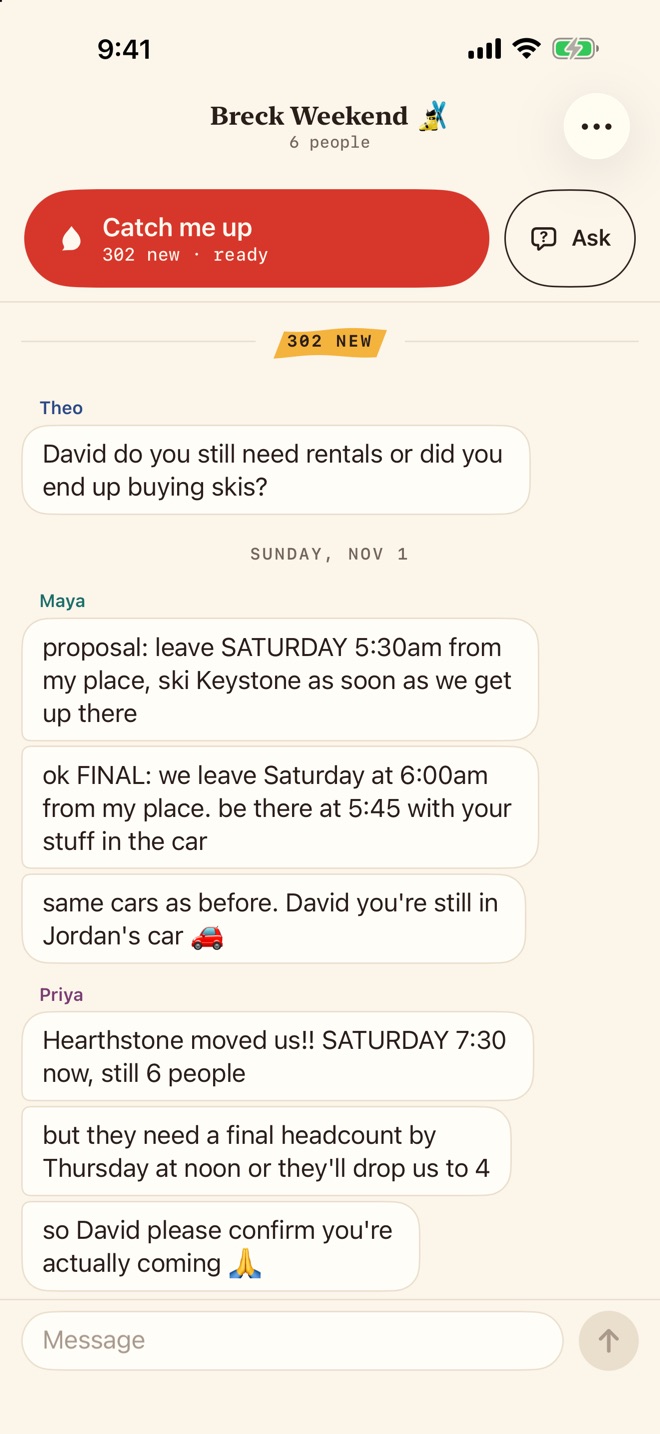
302 new. Catch me up is ready. -
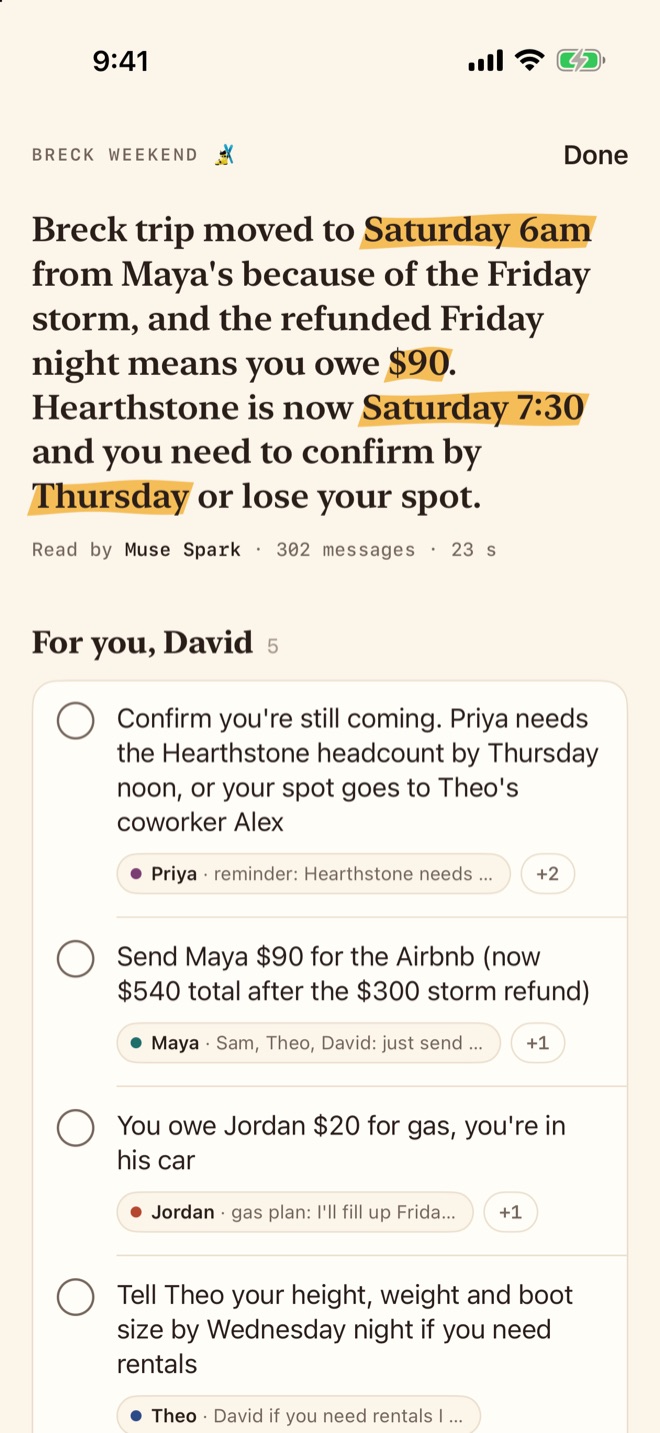
The summary, then what's for you. -
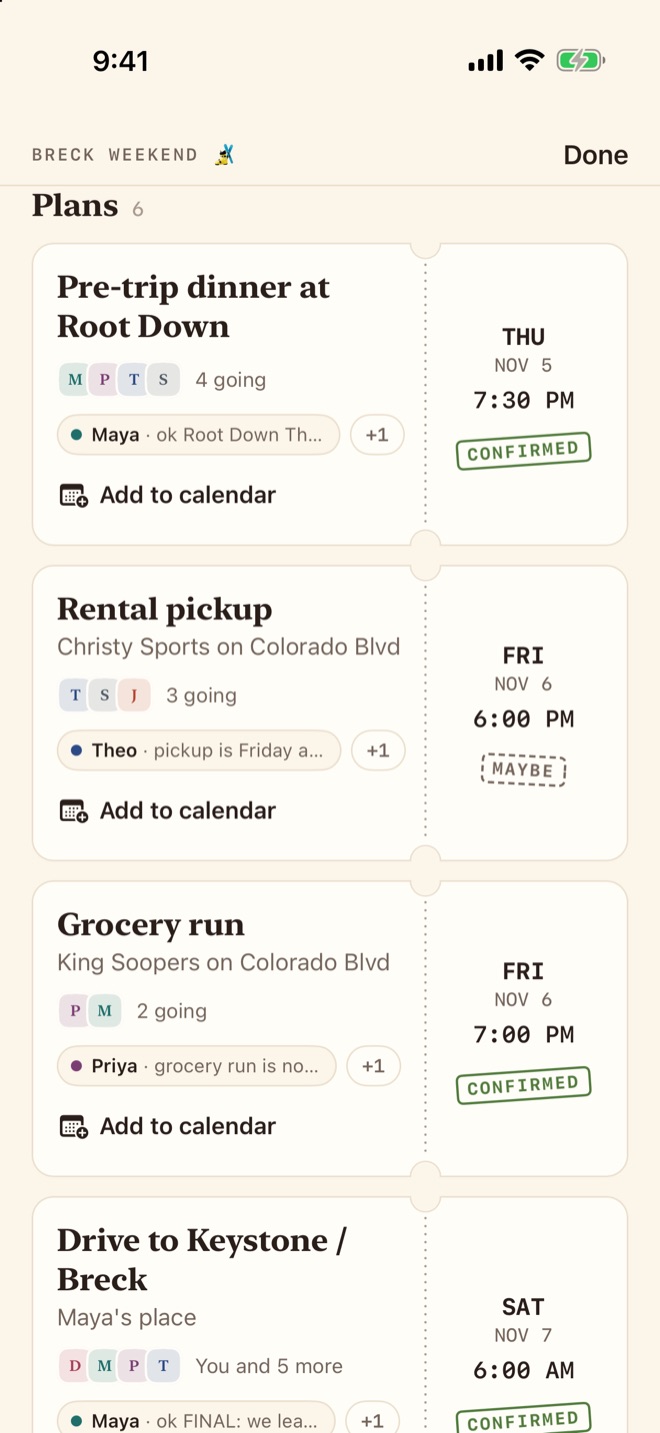
Plans, each with Add to calendar. -
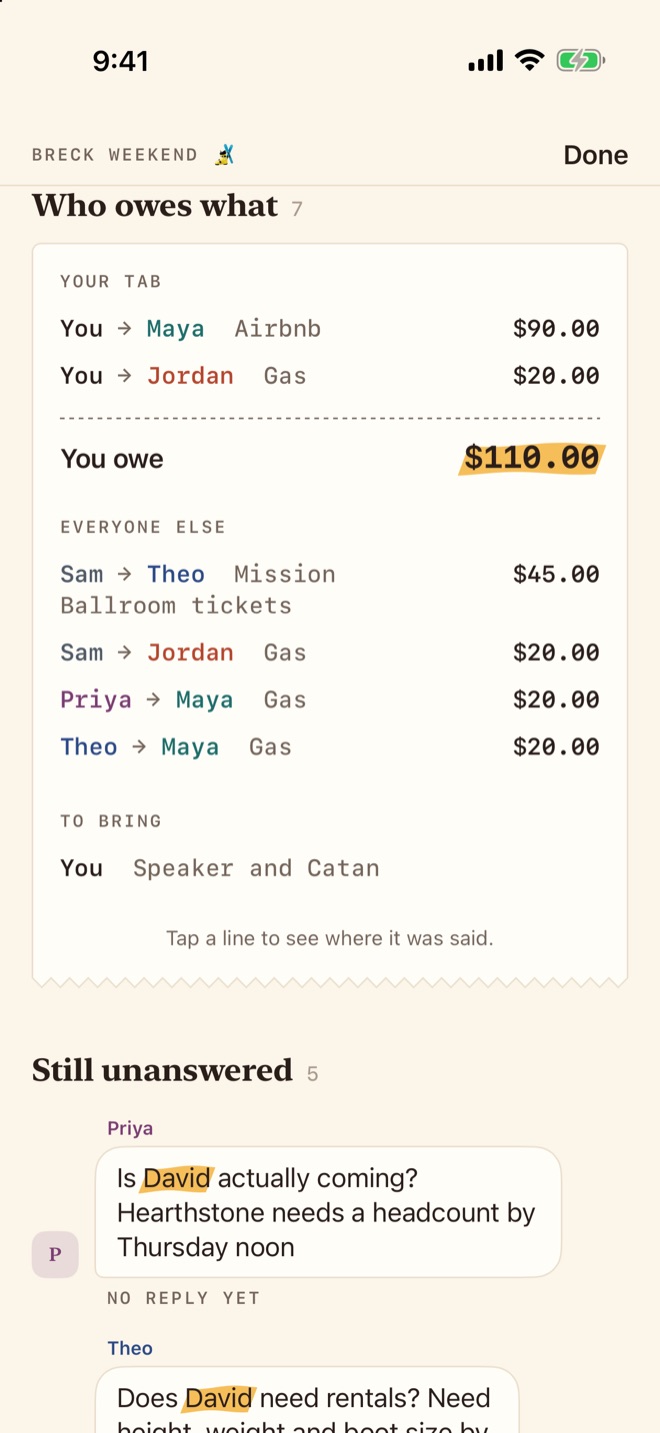
Who owes what, and what's still unanswered.


What else it does
A real group chat underneath.
Ask the chat
Ask “what time are we leaving?” or “how much do I owe Maya?” and get a short answer with the messages behind it. If the chat doesn't say, it tells you.
It reads photos too
The newest photos in what you missed go along with the messages, so a door code someone sent as a photo can make the catch-up.
Chats with your friends
Sign in with a code sent to your email, start a chat and invite friends with a 6-character code. Messages and photos arrive in real time.
Opens instantly
Your inbox and recent messages are kept on your phone, so chats open at once, even offline. Your last 3 catch-ups for each chat stay there to read again.
Block and report
Block someone and Muse Spark never reads their messages for you either. Long press a message to report it, or tap a name to report the person.
Listen
On Pro, your catch-up is read aloud in your phone's own voice. Nothing more leaves the phone for it.
Instagram and Snapchat
Catch up on chats you already have.
Instagram and Snapchat each get a tab in Cetchup with their own website in it. Sign in on their page, open a chat, tap Catch me up, and pick the last 10, 30, 80 or 120 messages.
Cetchup reads only the chat you have open, and only when you tap. The catch-up stays on your phone, and Cetchup never sees your Instagram or Snapchat password.
Read by Muse Spark
Every line points to a real message.
Muse Spark, Meta's AI model, writes each catch-up. Then our server checks it: every item has to cite real messages from the chat, and an item that can't is dropped. Dates are worked out in your time zone, so “Friday at 7” becomes a time your calendar understands.
It can still get things wrong, so the sources are always one tap away.
Plans
Pick how much it reads a day.
A plan is how many messages Muse Spark reads for you each day. A catch-up counts the unread messages it reads, and one you already have costs nothing.
Privacy
Your chat stays your chat.
- Muse Spark reads a chat only to catch you up or answer your question, and never before you've said yes once.
- Meta doesn't train its AI on your chats. Cetchup uses Meta's Standard mode.
- Instagram and Snapchat catch-ups stay on your phone. Our server doesn't keep those messages.
- No ads and no trackers, and we don't sell your data.
- Delete your account in Settings and your messages and photos go with it.